Crab Champions Wiki
Weapons
Open the list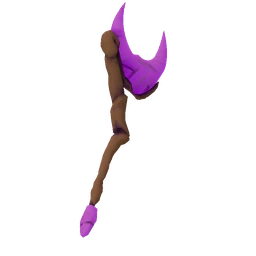 Arcane WandLobs short range arcane balls
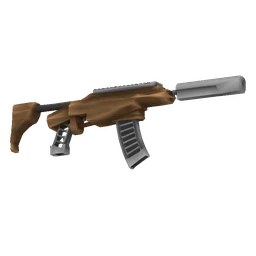 Auto RifleBalanced full auto rifle
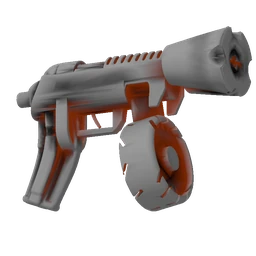 Auto ShotgunFast firing shotgun for maximum chaos!
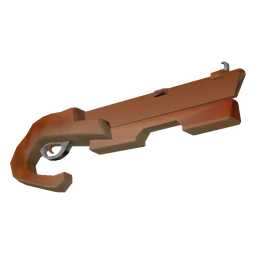 Blade LauncherFires sharp piercing blades
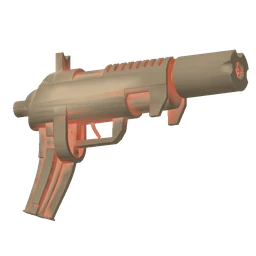 Burst PistolAn inaccurate but powerful burst pistol
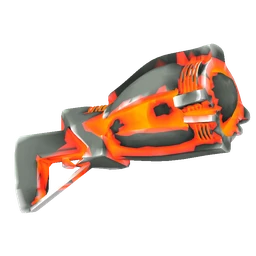 Cluster LauncherShort range launcher that fires clusters of delayed explosion projectiles
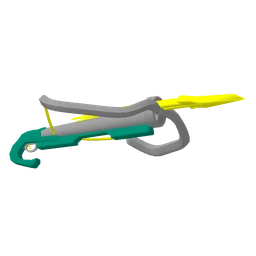 CrossbowA crossbow that fires in a wide arc
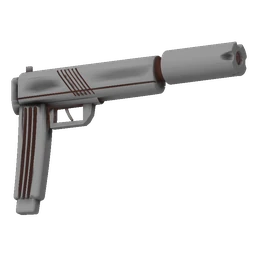 Dual PistolsWell rounded dual pistols
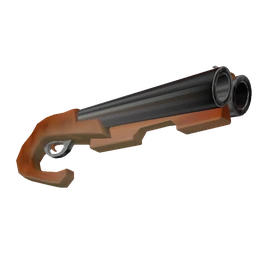 Dual ShotgunsPowerful short range shotguns
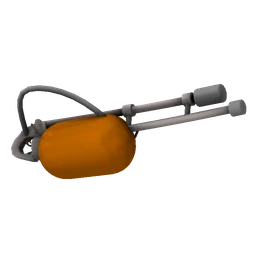 FlamethrowerBurn burn burn!
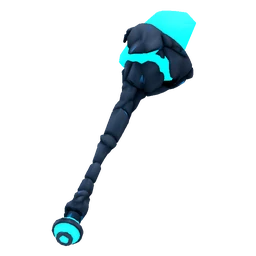 Ice StaffRains down icy shards from above
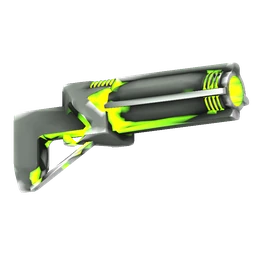 Laser CannonsHigh tech low recoil lasers
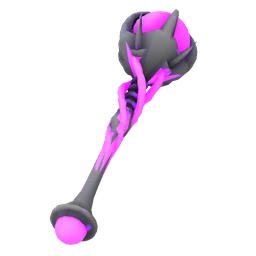 Lightning ScepterShoots close range shocking beams
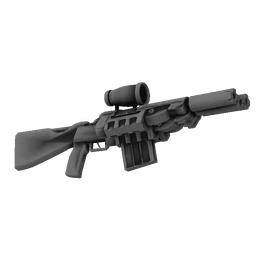 Marksman RifleHybrid triple barreled rifle
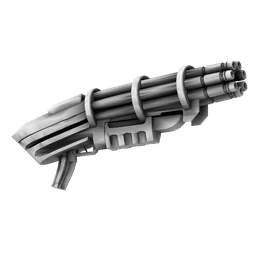 MinigunHigh fire rate but low damage minigun
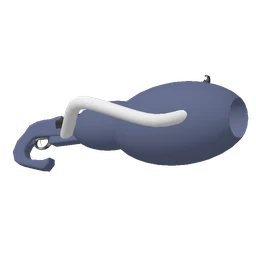 Orb LauncherFires short range high spread orbs
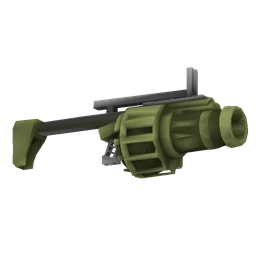 Poison CannonBursts into poison clouds that wear your enemies down over time. Increases to weapon damage also affect the poison cloud damage. Slow fire rate- choose your shots wisely!
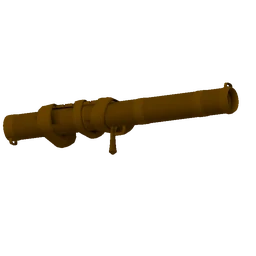 Rocket LauncherDevastating damage but slow firing rocket launcher
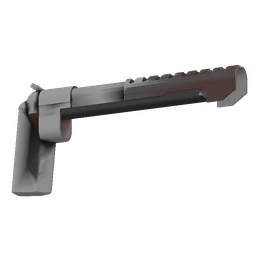 SeagleHigh damage high recoil pistol
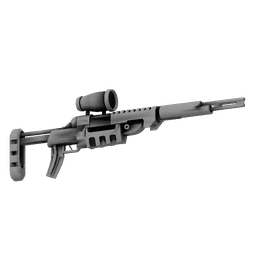 SniperHigh piercing damage but slow fire rate sniper
Abilities
Open the list Air StrikeA delayed but devastating explosion that penetrates enemy armor
 Black HoleCreate a powerful black hole
 Electro GlobeSlow moving high voltage orb
 Grappling HookFire off a grappling hook- good for damaging enemies and for movement!
 GrenadeGoes boom!
 Ice BlastFreezes nearby enemies
 Laser BeamFire a powerful piercing laser
Melee Weapons
Open the list
Weapon Mods
Open the list Accelerating ShotDamage increased by 75% (+? damage)Arcane Shot3% chance for shots to apply arcane to enemies (the total amount of arcane stacks on an enemy is dealt as damage once per second)Big MagMag size increased by 40%
 Big ShotShots are 50% larger and deal 50% more damage (+? damage) but move 40% slowerBlind FireDamage increased by 75% (+? damage) but spread increased by 25%Boomerang ShotDamage increased by 75% (+? damage)Bouncing ShotDamage increased by 150% (+? damage) after each bounce (+1 bounce per level)Chaotic ShotDamage increased by 50% (+? damage)Double Shot8% chance to fire in a double shot formationEfficient Shot5% chance to gain ammo when dealing weapon damageEscalating ShotFire rate reduced by 33% but increases by 1% with each shot fired until stopping fireFast ShotShots are 25% faster and lighter
 Fire Shot3% chance for shots to burn enemies (enemies take constant damage based on the number of fire stacks applied)Glue ShotDamage increased by 75% (+? damage)Grip TapeSpread (including formation spread) and recoil reduced by 25%Heavy HitterDamage increased by 150% (+? damage) but fire rate reduced by 20%Heavy ShotShots deal 50% more damage (+? damage) but are 15% heavierHigh CaliberDamage increased by 75% (+? damage) but clip size reduced by 25%
 Ice Shot3% chance for shots to freeze enemies (the total amount of ice stacks on an enemy is dealt as damage a few seconds after being frozen)Knockback ShotKnockback strength increased by 100%
 Lightning Shot3% chance for shots to shock enemies (lightning stacks build up on enemies and are released as chain lightning damage when close enough to other enemies)Mag ShotDamage increased by 3% for each bullet remaining in the magazine (up to a max of 100 bullets)Orbiting ShotDamage increased by 100% (+? damage)
 Poison Shot3% chance for shots to poison enemies (each stack of poison causes enemies to take increased damage: 50 poison stacks = 50% more damage taken)Random Shot3% chance for shots to apply random debuffs to enemiesRapid FireFire rate increased by 12%Recoil ShotDamage increased by 75% (+? damage) but recoil is increased by 25%Reload ArcEach projectile deals 100 damage
 Sharp ShotShots deal 4 additional flat damageSnake ShotDamage increased by 50% (+? damage)Sonic BoomReloading deals 250 damage and knocks back nearby enemies
 Spiral ShotDamage increased by 50% (+? damage)Steady ShotDamage increased by 75% (+? damage) when aiming but reduced by 25% when hipfiringStreak ShotDamage increased by 5% for each shot you hit in a row without missing (up to a max of 100 shots in a row)Time Bolt3% chance to fire bolts dealing ? damage over time along with your shotsTime ShotDamage increased by 100% (+? damage)Trick ShotDamage increased by 50% (+? damage) when hipfiring but reduced by 25% when aimingUltra Shot4% chance to fire bullets dealing ? damage along with your shotsWind UpDamage increased by 5% for each shot fired until stopping fire (up to a max of 40 shots)Zig Zag ShotDamage increased by 50% (+? damage)
 Arcane Blast2% chance to fire close range AOE blasts that deal ? damage and apply 200 arcane debuff stacks per second along with your shotsArc Shot5% chance to fire in an arc shot formationAura ShotEach aura deals 2 damage per second
 Bubble Shot3% chance for shots that hit enemies to spawn bubbles that deal ? damage per second
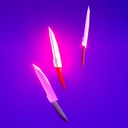 Dagger Arc2% chance to fire arcs of daggers that deal ? damage per second along with your shots
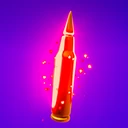 Damage ShotDamage increased by 150% (+? damage)Double Tap6% chance for shots to deal damage twice
 Drill Shot2.5% chance for shots that hit enemies to spawn drills that deal ? damage per secondFirework Shot2% chance to fire fireworks dealing ? damage along with your shotsHealth ShotHeal 1 health when damaging enemiesJuicedDamage, fire rate and reload speed increased by 15%
 Link Shot2.5% chance for shots that hit enemies to spawn link shots that deal ? damage
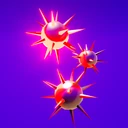 Mace Shot2.5% chance to fire mace balls that deal ? damage per second along with your shotsMoney ShotGain 1 crystals when damaging enemiesPiercing ShotShots pierce through 1 enemiesPiercing Wave2% chance to fire damaging waves that deal ? damage per second along with your shotsPumpkin Shot2% chance to lob pumpkins dealing ? damage along with your shotsScatter Shot6% chance for shots to scatter into 3 copies on impactShotgun Blast2% chance to fire shotgun blasts along with your shots. Each pellet deals ? damageSuperchargedFire rate increased by 25%Targeting Shot8% chance for shots to target nearby enemies on impactThorn Shot3% chance to fire homing thorns that deal ? damage per second along with your shotsTriple Shot7% chance to fire in a triple shot formationX Shot4% chance to fire in an X shot formation
 Beam Shot3% chance to fire damaging beams that deal ? damage over a Duration second period along with your shotsBomb Shot2% chance for shots that hit enemies to spawn clusters of bombs that deal ? damageDice ShotAll chance based weapon mods are 100% more likely to triggerFireball Shot3% chance to fire fireballs that deal ? damage and apply 100 fire debuff stacks along with your shotsFirepowerFire 1 extra shots with increased spreadFire StormFire storms deal 100 damage and apply ? fire stacks over a Duration second periodFire StrikeFire strikes deal 100 damage and apply ? fire stacksHoming Blades3% chance for shots that hit enemies to spawn blades that deal ? damage per second
 Homing Shot10% chance for shots to home towards nearby enemiesIce StormIce storms deal 100 damage and apply ? ice stacks over a Duration second periodIce StrikeIce strikes deal 100 damage and apply ? ice stacksLandmine Shot4% chance for shots that hit enemies to spawn landmines that deal ? damageLightning StormLightning storms deal 100 damage and apply ? lightning stacks over a Duration second periodLightning StrikeLightning strikes deal 100 damage and apply ? lightning stacksPoison StormPoison storms deal 100 damage and apply ? poison stacks over a Duration second periodPoison StrikePoison strikes deal 100 damage and apply ? poison stacksProximity Barrage3% chance for shots that hit enemies to spawn missiles that deal ? damageSharpened Axe3% chance to fire spinning axes that deal ? damage per second along with your shotsSpark Shot3% chance for shots to create bursts of sparks on impact that deal ? damage per secondSpike StrikeSpike strikes deal 100 damageSplash DamageShots deal splash damage to enemies in a 250 unit radiusSplit Shot6% chance for shots to split into 4 copies
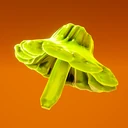 Spore Shot3% chance for shots to grow mushrooms from enemies that deal ? damageSquare Shot3% chance to fire in a square shot formation
 Torpedo Shot3% chance to fire homing torpedoes that deal ? damage along with your shotsTriangle Shot3% chance to fire triangle projectiles that deal ? damage along with your shots
Ability Mods
Open the list Big AbilityAbilities are 50% larger and deal 50% more damage (+? damage) but move 50% slowerBigger BoomAbilities have a 33% larger explosion radiusChaotic ExplosionDamage increased by 50% (+? damage)Glue ExplosionDamage increased by 75% (+? damage)
 Heat SinkAbility cooldowns reduced by 10%Imploding ExplosionAbilities deal 100% more damage (+? damage) but have a 20% smaller explosion radiusIron ExplosionAbilities deal 200% more damage (+? damage) but have a 40% longer cooldownTime ExplosionDamage increased by 100% (+? damage)
 Aura ExplosionAuras deal 20 damage per secondBarrel ExplosionEach barrel deals 100 damage when explodingBouncing ExplosionAbilities gain 1 bounces and explode on each bounceBubble BlastEach bubble deals 100 damage per secondDagger BlastEach dagger deals 100 damage per secondDamage ExplosionDamage increased by 250% (+? damage)Firework ExplosionEach firework deals 100 damageGiant DrillGiant drills deal 100 damage over a Duration second periodGrenadierGain 1 extra uses of your abilityLandmine ExplosionEach landmine deals 100 damage when explodingLayered Explosion25% chance for abilities to explode twiceSentry TurretSentry turrets deal ? damage per secondSniper TurretSniper turrets deal ? damage per secondSpark ExplosionEach spark deals 100 damage per secondThorn ExplosionEach thorn deals 100 damage per secondTriple Ability25% chance to throw 3 abilities at once
 Beam TurretEach beam deals ? damage over a Duration second periodBomb ExplosionEach bomb deals 100 damageClone ExplosionAbilities spawn 1 ability copies when explodingCrystal BarrageCrystal barrages deal 100 damage over a Duration second periodCrystal StrikeCrystal strikes deal 100 damageEnergy RingEnergy rings deal 100 damage on each hitFire ExplosionFire damage areas apply ? fire stacks over a Duration second periodIce ExplosionIce damage areas apply ? ice stacks over a Duration second periodLightning ExplosionLightning damage areas apply ? lightning stacks over a Duration second periodMortar TurretMortar turrets deal ? damage per secondPoison ExplosionPoison damage areas apply ? poison stacks over a Duration second periodScythe VortexScythe vortexes deal 100 damage over a Duration second periodSpike StrikeSpike strikes deal 100 damageSpinning BladeSpinning blades deal 100 damage per secondSplit Ability30% chance for abilities to split into 4 copies while in the airSpore ExplosionMushrooms deal 100 damage and apply ? poison stacks when explodingTargeting ExplosionAbilities that directly hit enemies spawn 1 copies that target nearby enemiesUltra MushroomMushrooms deal 100 damage when explodingWave TurretWave turrets deal ? damage per second
Melee Mods
Open the list Big ClawsMelee range increased by 20%BlenderMelee cooldowns reduced by 20%Iron ClawsMelee damage increased by 300% (+? damage) but melee cooldowns are increased by 40%Sharp ClawsMelee damage increased by 100% (+? damage)Time ClawsMelee damage increased by 150% (+? damage) but damage is dealt over timeVampireHeal 5 health when eliminating enemies within 3 seconds of them taking melee damage. Medium enemies heal 2x more, large enemies heal 5x more and Elite + Boss enemies heal 10x more
 Arcane ClawsMelee arcanifies enemies with 50 arcane stacksFire ClawsMelee ignites enemies with 25 fire stacksIce ClawsMelee freezes enemies with 50 ice stacksLightning ClawsMelee shocks enemies with 50 lightning stacksPoison ClawsMelee poisons enemies with 25 poison stacks
 BrawlerMelee damage multiplier increased by 100% but weapon damage multiplier reduced by 20%
Perks
Open the listAnti CritDamage increased by 20% but critical hit chance reduced by 20% BananaMax health multiplier increased by 20%Bounty HunterLarge enemies have a 5% chance to drop loot when eliminatedBulletproofBlock chance increased by 6%BullseyeMax health increased by 1 after every one shot (losing all health within 0.25 seconds) elimination
 Critical Arrow12% chance for critical hits to fire arrows at enemies that deal ? damageCritical ThinkingCritical hit damage multiplier increased by 25% but non critical hits deal 10% less damageCrystal ComboEnemies drop 20% more crystals per combo levelCrystal Fertilizer20% more destructible crystals and health rocks spawnDamage ComboDamage increased by 15% per combo levelDanger CloseDamage increased by 30% to nearby enemiesDrillerDestroying destructible rocks has a 5% chance to spawn loot. Chance is shared with teammates that also have DrillerEagle EyeDamage increased by 30% to distant enemiesElemental ExpertDamage increased to enemies by 15% per unique debuff applied to themElemental SpecialistDamage increased to enemies by 50% if they have exactly one debuff applied to themEnduranceHeal 125 health at the start of each islandEnhanced TurretsTurret damage increased by 50%EqualizerDamage increased by 30% if you currently have an even number of equipped perksExplosive ArmorArmor explosions deal 60 damageFirestarterFire strength increased by 25%FortitudeMax health increased by 25 after clearing each islandHard TargetIncoming damage reduced by 8%High VoltageLightning strength increased by 25%Hot ShotCritical hit chance increased by 12% but incoming damage increased by 20%Hot SteamEnemies take a burst of 300 fire damage when ignitedIce ColdIce strength increased by 25%MagnifyArea of effect increased by 20% (affects all damage sources and is multiplicative with other increases to damage radius)
 MangoMax health increased by 250PaycheckGain 20% of the price of a common pickup (currently ? crystals) after clearing each islandPersonal SpaceMax health increased by 1 after every close range eliminationPoisonous ArmorArmor explosions apply 40 poison stacksPotent MagicArcane strength increased by 25%Power ArmorDamage increased by 15% for each equipped armor platePower PunchCritical hit damage increased by 40%RegeneratorRegenerate 1 health per secondScavengerEnemies have a 10% chance (100% chance on large enemies) to drop health pickups that heal 40 healthSharpshooterCritical hit chance increased by 6%SluggerExplosive enemy explosion damage and radius increased by 100%SnatcherEnemies eliminated at close range drop 75% more crystalsSpecial DeliveryShops contain 1 more goods for saleSpeed DemonMovement speed increased by 20%StaminaGain 1 more dashesStreamer LootLoot drops have a 4% chance to be upgraded to a higher rarityTony's Black CardShop prices are discounted by 8%ToxicMax poison stacks increased by 40%Valued CustomerMax health increased by 25 when making purchases at shopsVitalityDamage increased by 30% when at high (more than 75%) healthAll You Can EatNo ammo is used for 2 seconds after eliminating an enemy
 Amber ResinHealing is increased by 40%AssassinDamage increased by 1% after every 10 one shot (losing all health within 0.25 seconds) eliminationsBig ChestsChests contain 1 more loot choicesBonus Crystals75% more crystals drop when eliminating enemiesChecklistDamage increased by 1% after every 25 eliminationsCollectorDamage increased by 3% for each perk level that you haveCrimson HazeDamaging zones deal 100 damage over a Duration second period
 Critical Blast15% chance for critical hits to create powerful explosions that deal ? damageDamage AuraDeal 20 damage per second to nearby enemiesDouble Vision15% chance to get an extra chest after clearing each islandExploding EnemiesEnemy explosions deal 100 damageFire AuraDeal 50 damage and apply ? fire stacks to nearby enemiesFlammable ArmorArmor explosions apply 30 fire stacksGemstoneDamage increased by 4% after clearing each islandGold CoatingGain 100% of healing as crystals (doesn't work in shops)Grim ReaperHeal 3 health after eliminating enemies. Medium enemies heal 2x more, large enemies heal 5x more and Elite + Boss enemies heal 10x moreHealth Is PowerDamage increased by 1% for every 25 health you have (up to a cap of 2,500 health)Ice AuraDeal 50 damage and apply ? ice stacks to nearby enemiesLightning AuraDeal 50 damage and apply ? lightning stacks to nearby enemiesMega Crit10% chance to Mega Crit when landing critical hitsMoney Is PowerDamage increased by 1% for every 250 crystals you have (up to a cap of 25,000 crystals)Orbiting ScythesEach scythe deals 100 damage per secondPerformance Bonus30% chance to get an extra chest when flawlessly clearing an islandPoison AuraDeal 50 damage and apply ? poison stacks to nearby enemiesShockwaveTaking damage sends out a shockwave that deals 150 damage to all visible enemiesSilver LiningDamage increased by 2% each time you take damage greater than 5% of your max healthSpeed Is PowerDamage increased by 1% for every bonus movement speed % you haveSturdy TotemsTotems have 1 more guaranteed uses before they explodeSurvivorBlock chance increased and incoming damage reduced by 8%Tasty OrangeDamage increased by 1% for each enemy eliminated on an islandTotem Enthusiast1 more totems spawn any time a natural totem spawn happens
 Bonus ChestsGet 1 extra chests after every 200 eliminationsCare PackageGet 1 extra chests after clearing every 4th islandCritical Lightning15% chance for critical hits to shock random enemies with ? lightning stacksCrystal Asteroids25% chance for asteroids containing bonus loot to spawn on each islandDagger DashEach dagger deals 100 damage per secondElectric EnemiesEnemies apply 200 lightning stacks when eliminatedFaulty Chests15% chance for unchosen chest loot to not disappearFlammable EnemiesEnemies apply 75 fire stacks when eliminatedFreezing EnemiesEnemies apply 50 ice stacks when eliminatedIce DashApply 100 ice stacks to nearby enemies when dashingLevel Up1 random mods and perks are upgraded to the next level after clearing every 3rd islandLightning DashApply 200 lightning stacks to nearby enemies when dashingPoisonous EnemiesEnemies apply 25 poison stacks when eliminatedPowerslideSliding constantly deals 10 damage and applies ? fire stacks to nearby enemiesRare TreasureEnemies have a 1% chance to drop loot when eliminatedBig BonesMax health and global damage multipliers increased by 25% but you grow 10% largerBribeMax health multiplier increased by 100% but lose 5% of your crystals when taking damageBrute ForceGlobal damage multiplier increased by 25% but incoming damage increased by 25%Damage SeekerGlobal damage multiplier increased by 25% but lose 1% max health when taking damageDouble TroubleMax health multiplier increased by 100% but enemy health increased by 50%Glass CannonGlobal damage multiplier increased by 75% but max health multiplier decreased by 50%JuggernautMax health multiplier increased by 60% but 20% more enemies spawnLeap Of FaithMax health multiplier increased by 60% but 10% of max health is dealt as fall damageLimited Loot125% more crystals drop when eliminating enemies but the amount of loot choices in chests is reduced by 1Rising Star125% more crystals drop when eliminating enemies but 20% more enemies spawnSlippery SlopeGain ? crystals but also lose health equal to 33% of your max health at the start of each islandUp The AnteGlobal damage multiplier increased by 25% but 20% more enemies spawnWorkaholic125% more crystals drop when eliminating enemies but max health multiplier decreased by 20%
Relics
Open the list Adrenaline AmuletFire rate increased by 33% for 5 seconds after eliminating an enemyBlacksmith AmuletGain 2 more anvil choices on anvil islandsCombo RingMax combo increased by 3Coral AmuletChests contain 2 more loot choicesIcebreakerIce damage is also dealt to nearby enemiesPortal RingGain an extra portal choice after each islandRing Of ArmorGain an armor plate if starting an island with no armorRing Of DestructionReset all cooldowns and reload weapons when destroying destructible rocksRing Of HealingHealth rocks are guaranteed to spawn on each islandRing Of Healthy TurretsTurret health increased by 200%Ring Of ReloadingReload speed increased by 75%Ring Of VigorMax health multiplier increased by 3% after clearing each islandTony's AmuletShops contain 5 more goods for sale
 Ammo RingDashing reloads your weaponArcane RingArcane strength increased by 250%Blacksmith RingYou can choose 2 enhancements on Anvil islandsDuplication RingGet an extra chest when flawlessly clearing elite or boss islandsEthereal ArmorGain 1 armor plate at the start of every 3 islandsFire RingFire strength increased by 250% but Ice no longer has any effectFull Metal JacketAll damage penetrates enemy armorIce RingIce strength increased by 250% but Fire no longer has any effectLightning RingLightning strength increased by 250% but Poison no longer has any effectPoison RingPoison strength and max poison stacks increased by 250% but Lightning no longer has any effectRing Of DefenseIncoming damage reduced by 30%Ring Of DeflectionBlock chance increased by 25%Ring Of DividendsGain 10% of your total crystals as a bonus after clearing each islandRing Of FuryGlobal damage multiplier increased by 50% for 5 seconds after eliminating an enemyRing Of PotentialSecret chests are 4 times less likely to spawn but are replaced by Legendary chestsRing Of PowerWeapon damage multiplier increased by 400% but fire rate reduced by 80%Ring Of PrecisionCritical hit damage multiplier increased by 150%Ring Of ReinforcementGain 2 extra armor plates each time you gain armorRing Of RepulsionDashing repels nearby enemy projectilesRing Of Rocket JumpingFriendly explosions cause you to rocket jump into the airRing Of ValueShops always contain a pedestal that is discounted by 75%Ring Of WisdomCritical hit chance increased by 2% after clearing each islandSkill RingUpgrade Epic chests to Legendary chests when flawlessly clearing an islandTime RingDamage dealt over time is increased by 250%Turbo RingFire rate increased by 3% after clearing each island
 Ability RingAbility cooldowns reduced by 50%Portal AmuletWeapon shots are fired from the nearest enemy instead of from your weaponRing Of GravityGain low gravity movementRing Of LuckAll chance based perks and totems are 75% more likely to triggerRing Of ProtectionIncoming elemental damage reduced by 75%Ring Of Regenerating ArmorGain an armor plate at the start of each islandRing Of SwiftnessGain hugely increased movement speedTwin RingAll turrets spawn in pairs
 High Roller33% chance for 2 extra chests to spawn, 33% chance to do nothing, 33% chance for no chests to spawn at all when clearing islandsHoarder BackpackYou can pick up all loot in chests but can no longer drop pickups from your inventory, salvage loot or share loot with teammates by pingingOverspill GobletCritical hit chance is halved but also used as a bonus critical hit damage multiplier of ?%Ring Of FavoritismIf you have exactly 1 chance based enhanceable weapon mod in your inventory, it is 1,000% more likely to triggerRing Of TankinessMax health increased by 2,500 but movement speed reduced by 60%Trigger RingFire rate increased by 250% but weapon damage decreased by 90%Upgrade RingAll chests are much more likely to contain upgrades to your existing loot but the amount of loot choices in chests is reduced by 2
Consumables
Open the list ArmorGain 2 armor plates that reduce elemental damage, protect combo and will block one hit each (regardless of the damage amount) and clear existing debuff stacks on you when broken
 Crystal BundleGain a bunch crystals to spend at the shop
 KeyUsed in the lobby to permanently unlock new content for future runsDouble KeyUsed in the lobby to permanently unlock new content for future runsQuad KeyUsed in the lobby to permanently unlock new content for future runs
Nothing matches the search.
01 · Items
Items
Every weapon, ability, mod, perk and relic, with its effect at level 1, how it scales and where it drops.
Browse By
Tag items that work together
Loot Pool what each chest draws from
Rarity
02 · World
Islands, Enemies, Chests and More
The biomes and their islands in 3D, the enemies, what each chest can give you, the enhancements, skins, account XP and what each update changed.
03 · Save Editor
Save Editor
Changes unlocks, stats and your current run. It works entirely in your browser; your save isn't uploaded, and until you download it the original stays unchanged.
- Unlocks, weapon ranks, challenges and stats
- The run in progress: loadout, items, levels and enhancements
- A new run, set up by hand or rolled at the rank you pick
- Builds from the planner, loaded into the run with one click
- Warns about values the game wouldn't produce, but still lets you set them
How to Edit Your Save
-
Close the Game
The game overwrites the save while it runs and when you quit, which would undo your changes.
-
Open Your Save
Your save is
SaveSlot.savin this folder. Make a backup copy first.%LOCALAPPDATA%\CrabChampions\ Saved\ SaveGames -
Edit and Download
Put the downloaded file back into the same folder. If Steam Cloud asks which version to keep, choose the local one.
If you play co-op, ask your friends before you use an edited save in their game.
04 · Game Data
Where the Values Come From
After each game update, a script reads the game's files and rebuilds the data: items and their stats, islands, enemies, chests and drop chances. That way the wiki shows the values of the current version.
Changes between game versions: Game updates.